Yes or… yes
Yes or… yes — the “will you be my girlfriend?” page where the No button runs away
Giftable's Yes or… yes builds a “will you be my girlfriend?” page where the No button runs away: Yes opens a certificate and sends their answer, date and place back to you. €3 per giftable.
Live demo
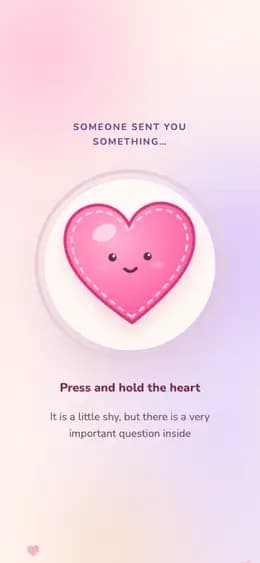
What the recipient sees
- 01Presses and holds the plush heart until your question opens.
- 02Reaches for No - it slips away, shrinks, and finally gives in.
- 03Taps Yes, answers your question, and gets a certificate to send back.
What to prepare
- Their name - it appears in the question and on the certificate
- Your name - signed under the message and on the certificate
- Your message: the lines under the big question
- A line to steal: “I made a whole page just to ask you this”
- The date and time of the meeting, if you already have one
- The place to meet - shown as a chip next to the date
- No photos: this template does not use them
- The closing question and its answers, if you edit ours
What it fits
Questions and answers
Can they actually answer no?
Not with that button - that is the joke. The No button moves away as soon as a finger or cursor comes close, shrinks after a few tries, and on the last nudge it gives in and turns into a second Yes. The honest way out comes one screen later: under the closing question there is a quiet "Answer in my own words" link, and whatever they type there - including a no - is sent to you like any other answer. Use this template when a yes is already likely; if you need a plain yes-or-no button, choose a format that asks the question straight.
How do I find out what they answered?
After the Yes, the page asks your closing question - ours is “What is your official answer?”, and you can replace it with up to five questions of your own, each with answer options or a typed reply of up to 240 characters. Their answers come back to you in the replies to your Giftable. They also get a Certificate of Yes with the question, date and place, ready to send you on WhatsApp, Telegram or in any chat.
Do they need an app, and what does it cost?
They open the link in any phone browser: no app, no account, nothing to install, and the floating hearts and confetti stand down if the phone asks for reduced motion. This template uses no photos, so all you write is the two names, a message and, if you have them, a date and place. Building it and previewing it is free; sending one Giftable costs €3, three cost €5 and ten cost €10.
True for every giftable
How to create and send it
- 01Pick this format from the catalog.
- 02Fill in the fields and check the preview — free, no account needed to start.
- 03Pay €3 for this giftable, or use a credit you already have.
- 04Share the link — it opens in any browser, no app for either of you.
Price
Building it and looking at the preview is free. You pay before you send.
- €3 — one giftable
- €5 — a pack of 3
- €10 — a pack of 10
One-time payments, no subscription. Prices in euro.
- 38 formats
- 6 languages
4.9/5 from early users