Shared table
Shared Table — a Friendsgiving potluck invitation where every guest picks the dish they will bring
Giftable’s Shared Table is an online Friendsgiving potluck invitation: guests lift the lid off the pot, see your date and place, and tap one of six plates to pick what they’ll bring. Free to build, €3 to send.
Live demo
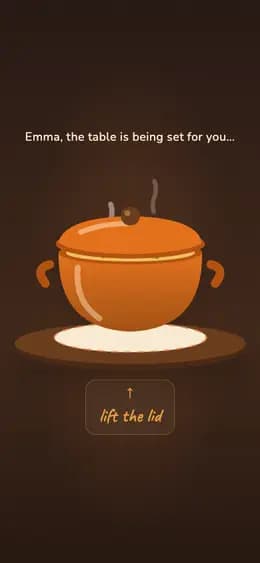
What the recipient sees
- 01Drags the lid off a steaming pot — the invitation is underneath.
- 02Reads who is hosting, when and where, then taps the plate they will bring.
- 03Answers your questions — coming, thinking, can’t — and the reply lands with you.
What to prepare
- The guest’s name for the line the invitation opens with
- Who is hosting — the name the table is set at
- A few words: what the dinner is and what to bring
- The date and time, shown beside the invitation
- The address or place, right under your message
- The six dishes come with the scene you pick — you don’t type them
- Optional: up to five questions of your own instead of the RSVP
What it fits
- A Friendsgiving where everyone brings one dish
- Christmas dinner at home, cooked between all of you
- A backyard barbecue: you light the grill, guests bring the rest
- A dinner party where the table is filled by the guests
Questions and answers
Do I need photos, and does anyone have to install an app?
No photos — this template does not take any. The pot, the checked cloth and the plates are all drawn, so a Shared Table is ready the evening you decide to host. Nothing to install either: the giftable opens in the browser your guests already have, from the link you send by WhatsApp, Telegram or message.
How do guests answer, and where do the answers go?
After the invitation the page asks your closing questions. By default there is one — will you be able to join us, with yes, I need a little more time and sorry, I can’t — and the answer comes back to you. You can replace it with up to five questions of your own: single choice, several choices, or free text up to 240 characters. Building and previewing is free; sending one Giftable costs €3, three cost €5 and ten cost €10.
Does it keep a live sign-up sheet of who is bringing what?
No — here is exactly what it does instead. The table lays out six dishes that come with the scene you choose: a Friendsgiving sets pumpkin pie, autumn salad, main dish, appetizers, drinks and dessert; a barbecue swaps in marinated meat, grilled vegetables, sauces and the rest. Every guest sees the same six and taps one for themselves, but nobody sees what the others took and no shared list fills up. The dish they claim stays on their screen and in the WhatsApp or Telegram message they send you from the thank-you card. To collect every dish in one place, make “What will you bring?” one of your own questions — those answers do come back to you.
True for every giftable
How to create and send it
- 01Pick this format from the catalog.
- 02Fill in the fields and check the preview — free, no account needed to start.
- 03Pay €3 for this giftable, or use a credit you already have.
- 04Share the link — it opens in any browser, no app for either of you.
Price
Building it and looking at the preview is free. You pay before you send.
- €3 — one giftable
- €5 — a pack of 3
- €10 — a pack of 10
One-time payments, no subscription. Prices in euro.
- 38 formats
- 6 languages
4.9/5 from early users